
Paysafecard Deposits on Mobile Betting Apps in Australia
 Available in US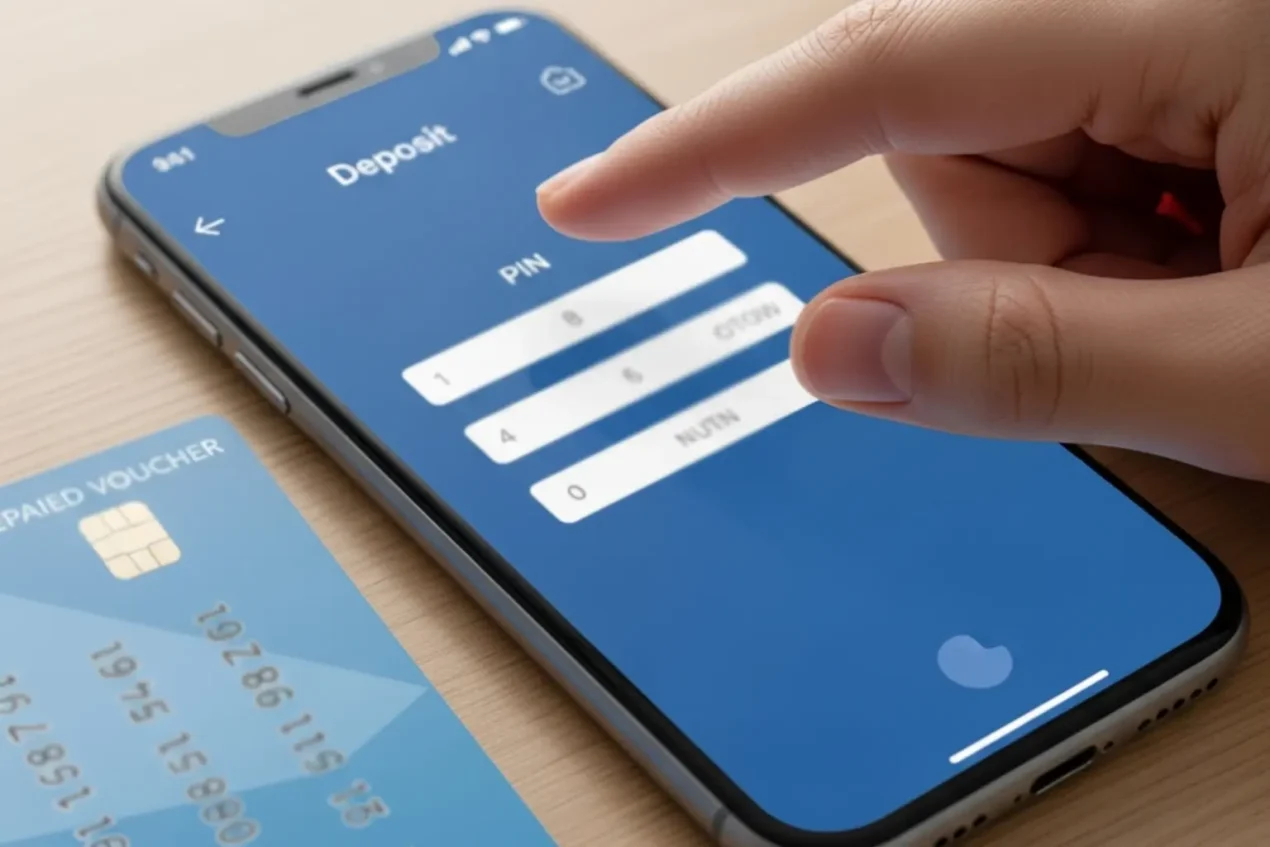
More than 56.1% of Australian gamblers play predominantly online, and a growing majority of that online activity happens on mobile devices. I’ve tested Paysafecard deposits on every major Australian betting app available on both iOS and Android, and the experience ranges from seamless to frustrating depending on the platform. This guide covers what works, what breaks, and how to navigate the quirks of entering a 16-digit PIN on a phone screen.
The wider context sits in our guide to Paysafecard betting in Australia.
How Paysafecard Deposits Work on Mobile Apps
The first time I tried a Paysafecard deposit on a mobile betting app, I mistyped the PIN twice because the on-screen keyboard kept covering the input field. It’s the kind of UX issue that desktop users never encounter but mobile users hit constantly. Understanding the mobile deposit flow helps you avoid the friction points.
The process mirrors desktop in structure: open the app, navigate to the cashier or deposit section, select Paysafecard from the payment methods, and enter the 16-digit PIN. The funds appear in your balance instantly upon successful entry. Where mobile differs is in the interface execution — smaller input fields, keyboard overlaps, and occasional redirect behaviour that can disrupt the flow.
Digital wallet transactions in Australia reached AUD 160 billion in 2024, with over 4 billion individual transactions processed through mobile wallets alone. That massive mobile payment infrastructure means Australian betting apps are generally well-optimised for digital transactions. Paysafecard’s PIN-entry model, however, is a throwback — it requires manual input of a long numeric code rather than a saved credential or biometric confirmation. On mobile, that manual entry is the experience bottleneck.
Some apps handle it better than others. The best implementations present a clean input field with large, well-spaced number keys and the amount confirmation on the same screen. The worst implementations redirect you to a Paysafecard web page that isn’t optimised for mobile, requiring you to zoom, scroll, and re-enter details in a format designed for desktop screens. There’s no way to predict which experience you’ll get until you try it on your specific bookmaker’s app.
Australian Betting App Compatibility with Paysafecard
Not every Australian betting app that accepts Paysafecard on desktop also supports it on mobile. I’ve encountered two situations that catch punters off-guard.
The first is payment method availability differences between the app and the mobile website. Some operators list Paysafecard on their desktop site but not in their native iOS or Android app. If you can’t find Paysafecard in the app’s cashier, try accessing the bookmaker through your phone’s web browser instead. The mobile browser version of the site often includes payment methods that the native app doesn’t.
The second is redirect handling. When you select Paysafecard in some apps, the transaction redirects to Paysafecard’s payment page in an in-app browser window. If the app’s browser doesn’t handle the redirect cleanly — cookies not passing, sessions timing out — the deposit fails even though the PIN is valid. Closing the app, clearing the cache, and restarting usually fixes this, but it’s annoying when you’re trying to fund quickly before a match.
Bet365’s app, which is the most used platform for Paysafecard deposits in Australia, handles the mobile Paysafecard flow reasonably well. The PIN entry field is accessible, the redirect is contained within the app, and confirmation appears promptly. Other apps vary, and I’d recommend doing a test deposit with a small denomination before relying on mobile for a time-sensitive deposit.
Common Mobile-Specific Issues and Fixes
Eight years of testing deposit methods across devices has given me a catalogue of mobile-specific problems. Here are the ones I see most frequently with Paysafecard.
If a deposit fails, work through the troubleshooting guide.
Keyboard covering the PIN field is the most common complaint. On smaller screens, the numeric keyboard can obscure the input box, making it impossible to see what you’re typing. The fix: before entering the PIN, scroll the page so the input field sits in the upper half of the screen. When the keyboard appears, the field remains visible above it. It’s a workaround that shouldn’t be necessary, but it solves the problem on most devices.
Session timeouts during PIN entry happen when you pause too long. If you stop to check the PIN on your physical voucher, the Paysafecard payment page may time out and require you to restart. Keep the voucher visible next to your phone while entering the code — don’t switch between apps or screens mid-entry.
Auto-fill attempting to populate the PIN field with saved passwords or card numbers creates garbled input. Disable auto-fill for the deposit page, or manually clear the field before entering the PIN. This is more common on Android than iOS in my testing.
Failed deposits that deduct the PIN balance without crediting your betting account are rare but terrifying. If this happens, screenshot the error, note the time, and contact both the bookmaker’s support and Paysafecard support immediately. The transaction record exists on both sides and can be reconciled, but prompt reporting speeds resolution.
Using the Paysafecard App to Manage Your Betting Balance
The official Paysafecard app — separate from any bookmaker’s app — serves as a companion tool for punters managing prepaid balances. If you have a My Paysafecard account, the app lets you check your balance, view transaction history, and load new voucher PINs from your phone.
The practical value for mobile bettors: you can verify your remaining Paysafecard balance before attempting a deposit, which prevents failed deposits caused by insufficient funds on the PIN. A quick check in the Paysafecard app, followed by the deposit in your bookmaker’s app, takes an extra 30 seconds but eliminates the most common deposit failure scenario.
The app also lets you purchase new PINs online if you’ve linked a payment method to your My Paysafecard account. That means you can go from “I need more funds” to “my betting account is topped up” entirely from your phone, without visiting a retail outlet. It’s the closest Paysafecard gets to the seamless mobile payment experience that debit cards offer. For the full breakdown of account features, including how My Paysafecard compares to single-use vouchers for regular bettors, the My Paysafecard account guide covers everything in detail.
Can I scan my Paysafecard barcode to deposit on a mobile betting app?
No. Paysafecard deposits require manual entry of the 16-digit PIN. There is no barcode scanning feature for betting site deposits. The PIN is printed on the voucher receipt and must be typed into the bookmaker’s deposit field. Keep the voucher visible next to your phone during entry to avoid errors.
Do all Australian betting apps support Paysafecard deposits?
No. Paysafecard availability varies between apps. Some bookmakers offer it on desktop but not in their native mobile app. If Paysafecard doesn’t appear in the app’s cashier, try accessing the bookmaker through your phone’s web browser instead, which may include additional payment methods.
Is depositing via mobile faster or slower than desktop?
The processing speed is identical — instant on both platforms. The user experience is where they differ. Desktop benefits from a full-size keyboard and larger input fields, making PIN entry faster and less error-prone. Mobile deposits take slightly longer due to smaller screens and potential keyboard overlay issues.
